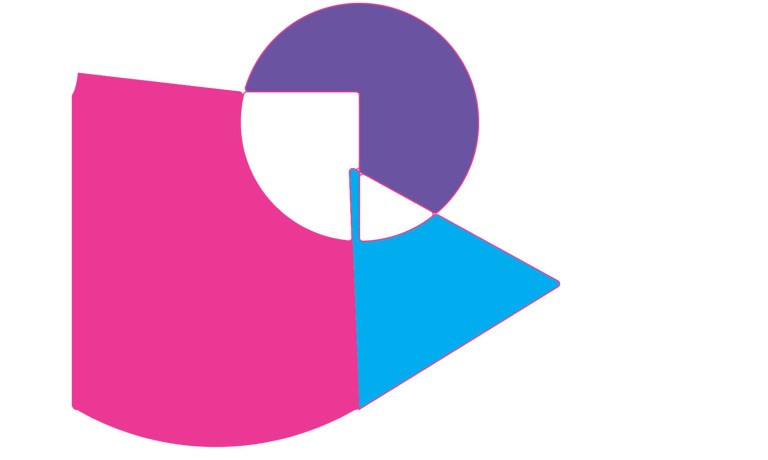
For the final workshop for the Adobe CC Suite, I was able to gain and understanding about how Illustrator works; I found this very useful as I had not really used Illustrator in the past. Firstly, I created a new document, I used a simple print A4 landscape layout. One advantage of using Illustrator as opposed to Photoshop is the art board feature, meaning you are able to have many documents open on the same board. This is particularly useful for seeing how a design looks on different print outputs. After this, I just used the rectangle tool and filled it with a bright pink colour. I then selected one anchor point of the shape and manipulated to create a unique new shape, I also added a circle by holding down the rectangle too; and selecting circle instead; I filled this with purple. The last shape I added was a triangle. I did this so that the base of the triangle was lines up with one of the sides of the square, I coloured this in with blue. We then were showed how do delete certain parts of the shape. To do this, we had to select all of the content of the page and select the shape builder tool. This then allowed me to select parts of the shapes that I could delete. The last thing I did to my creation was change the shape. I held down the alt key and dragged an anchor point of the square, causing it to bend.
For the second half of the workshop, I learned about the type tool and did some experimentation. I simply typed hello, duplicated it 4 times and manipulated them. I began by pulling the anchor points to make the letters curved. For the other duplicates, I adjusted the leading and kerning of the letters to space them apart/ move them closer. 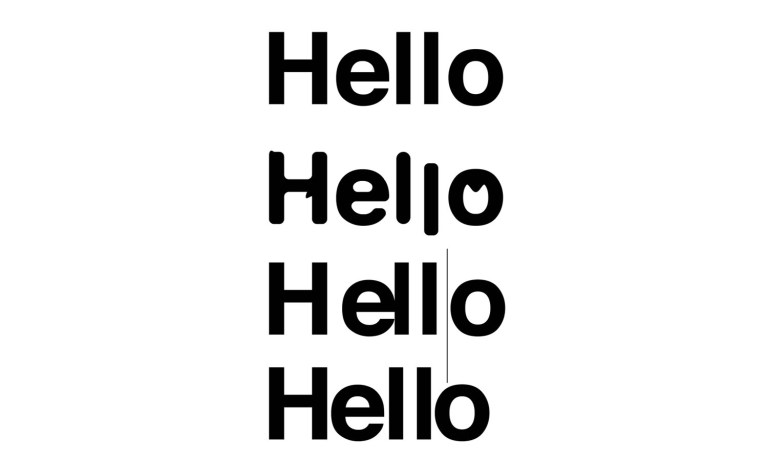
The last stage of this workshop was to create a logo using an image traced and masked illustration. I started off by selecting an image of a rose from Pexels.com and then I selected image trace and chose 6 colour. This changed the photograph to a series of shapes. To make the image less dense, I toggled with the paths, corners and noise tabs. To create the logo, I drew a ellipse and joined the layers together so that the image became a circular shape. After this, I entered isolation mode and copied and paste certain aspects of the image that went outside the circle.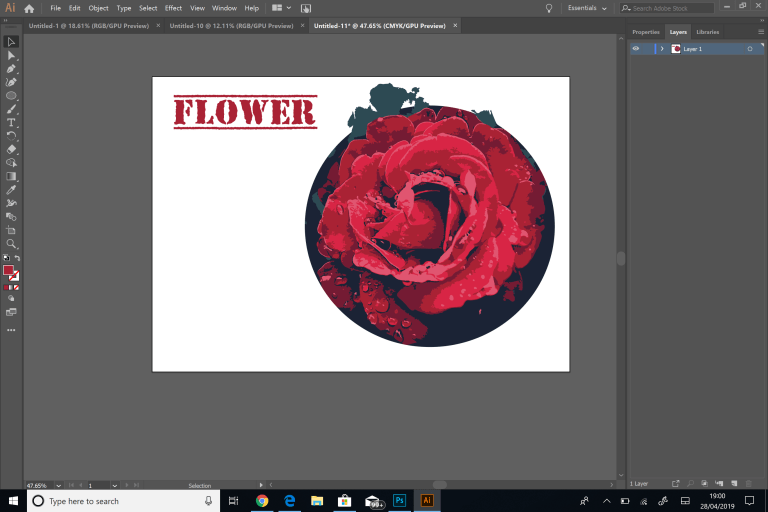
 Caitlin's Design Blog